TeXML Bin allows users to upload TeXML files to storage and use it for call flows without having to code. Developers can quickly and easily add programmable voice features into applications without having to worry about setting up application servers. TeXML is an XML-based data structure you can use to control calls with Telnyx and is the quickest way to get started with Programmable Voice using a simple .xml file, allowing you to specify call instructions in your file using commands called verbs and nouns. TeXML interpreter starts at the top of your TeXML file and executes your TeXML commands sequentially in the order they are arranged in the file. In this guide, you’ll learn how to start using TeXML Bin and configure a simple voicemail and call forwarding TeXML application using Telnyx’s Voice API. This tutorial assumes you’ve already set up your developer account and environment and you know how to send commands and receive webhooks. Let’s get started:Documentation Index
Fetch the complete documentation index at: https://developers.telnyx.com/llms.txt
Use this file to discover all available pages before exploring further.
Step 1: Create your XML
In order to create XML documents, you can use the new TeXML editor in the Mission Control Portal. You’ll find the TeXML editor by navigating to the Programmable Voice section on the left menu and selecting ‘TeXML Bin’.
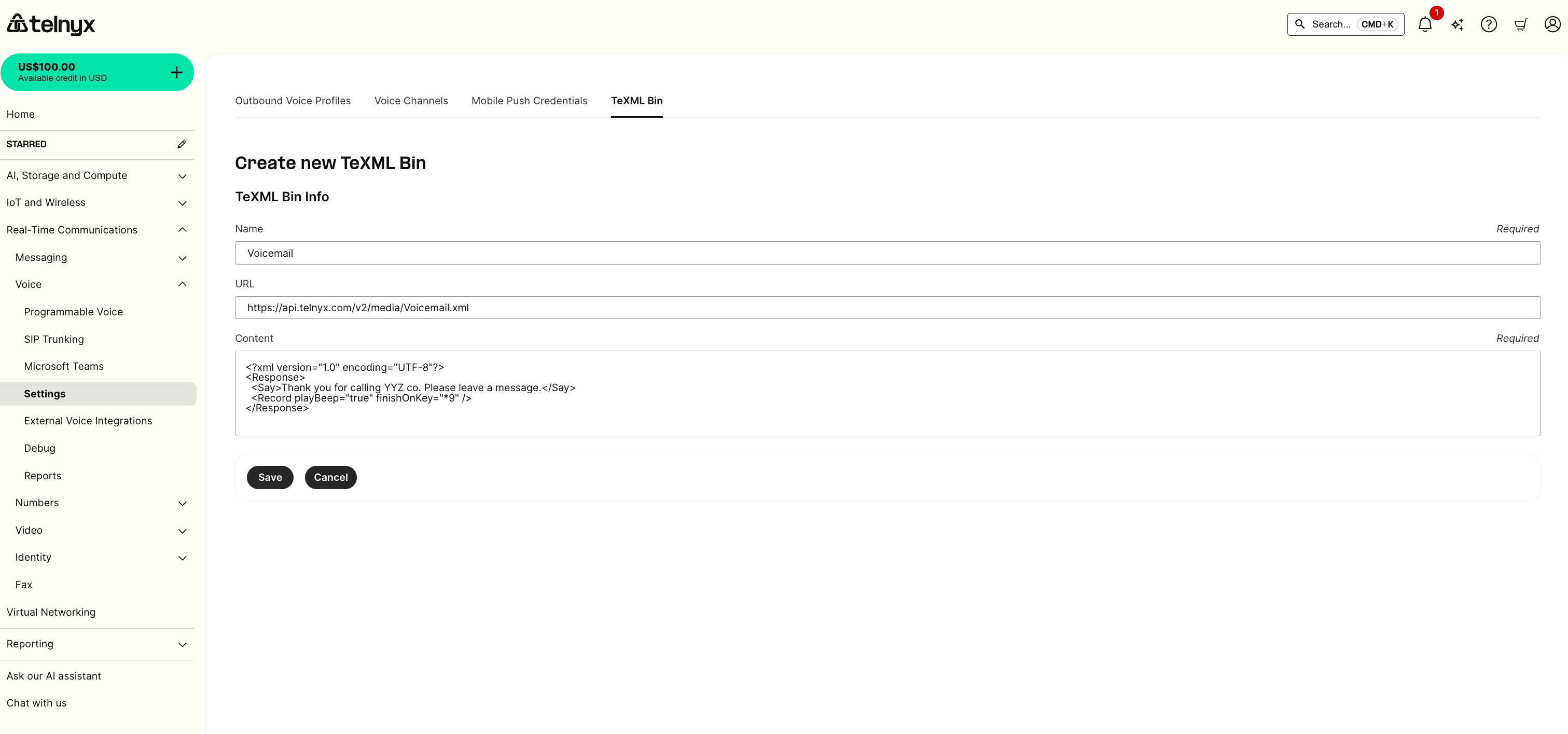
Simple voicemail
Simple call forward
Step 2: Set up your XML application in Mission Control
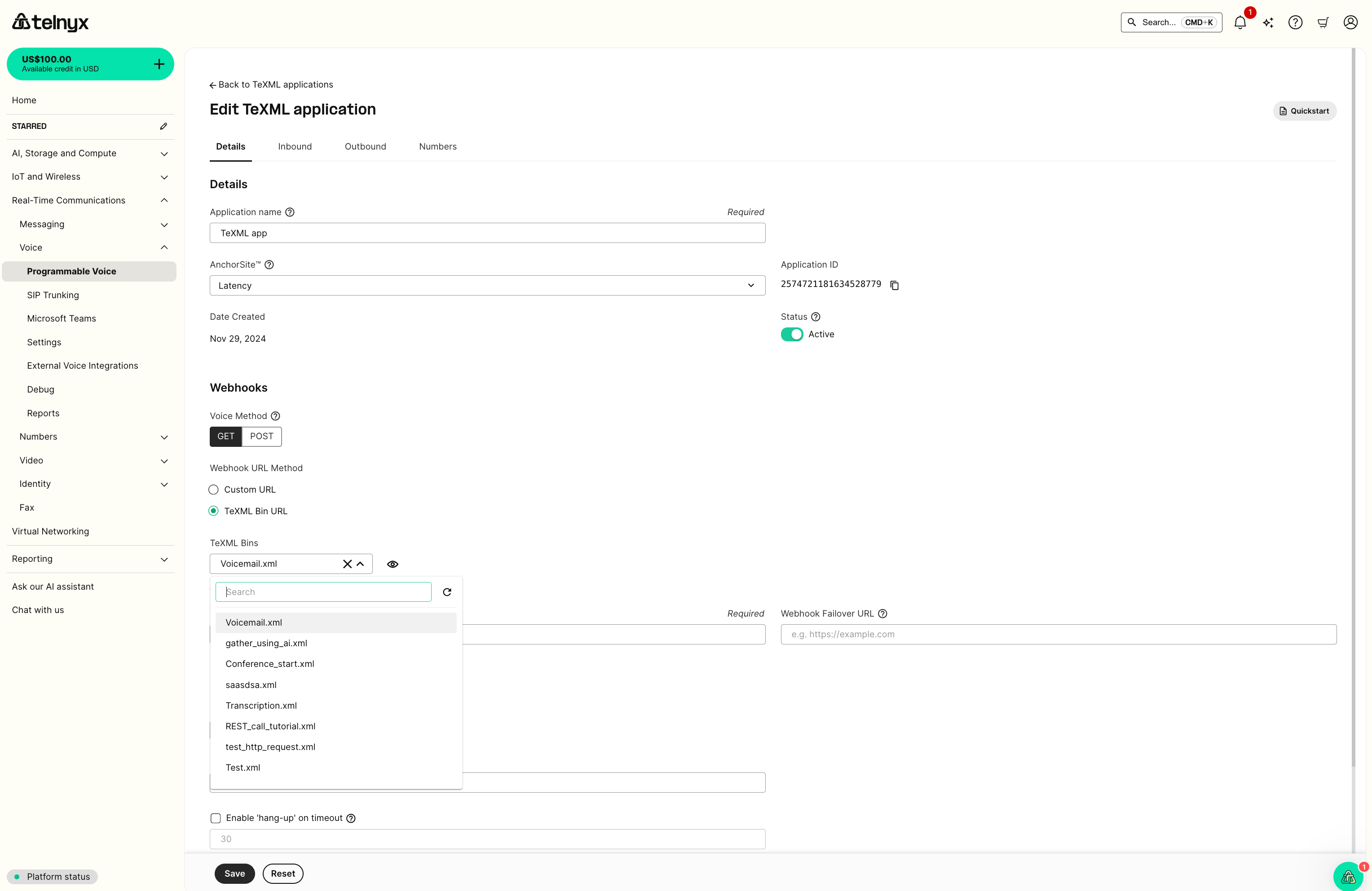
You can set up your XML application to use the created script by selecting it from the drop-down list.
Step 3: Test your application
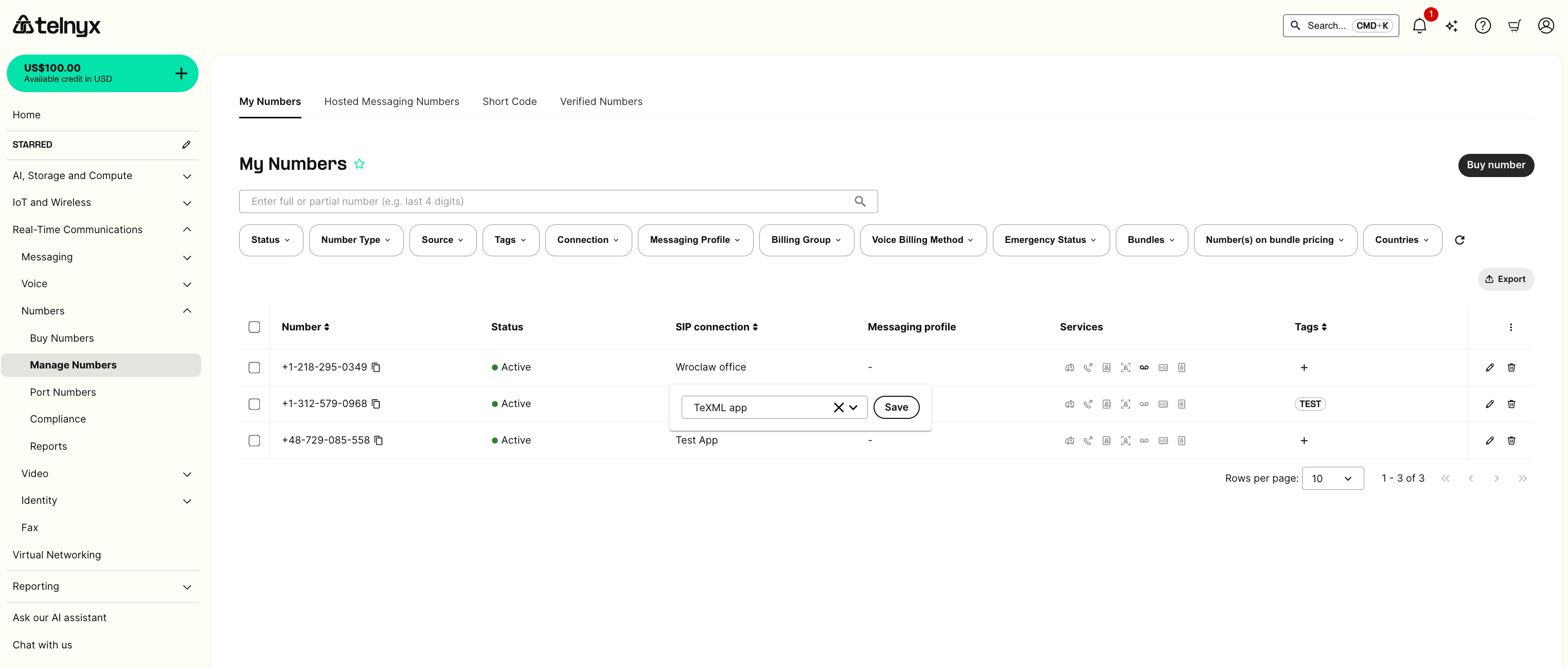
Test your application by:- Assigning a phone number to the application
- Dialing the number from the PSTN and leave a message
- Retrieving your voicemail