> ## Documentation Index
> Fetch the complete documentation index at: https://developers.telnyx.com/llms.txt
> Use this file to discover all available pages before exploring further.
# WireGuard Peer Config on macOS
> Configure a macOS device as a WireGuard peer to connect to a Telnyx WireGuard Gateway. Set up keys, peer endpoints, and the WireGuard macOS app.
## Prerequisite
You come from [here](https://developers.telnyx.com/docs/network/gateways/wireguard-gateway) and have a `.conf` file ready.
## Step 1: Install WireGuard Client
From [here](https://www.wireguard.com/install/), choose and install the macOS client.
## Step 2: Create a Tunnel
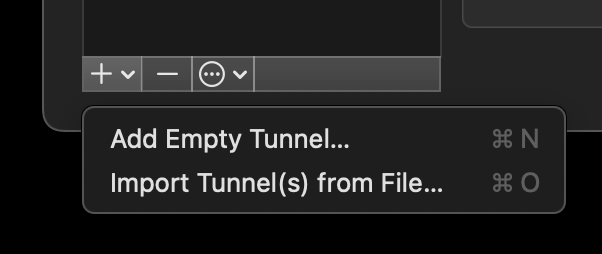
"Import Tunnel(s) from File..."
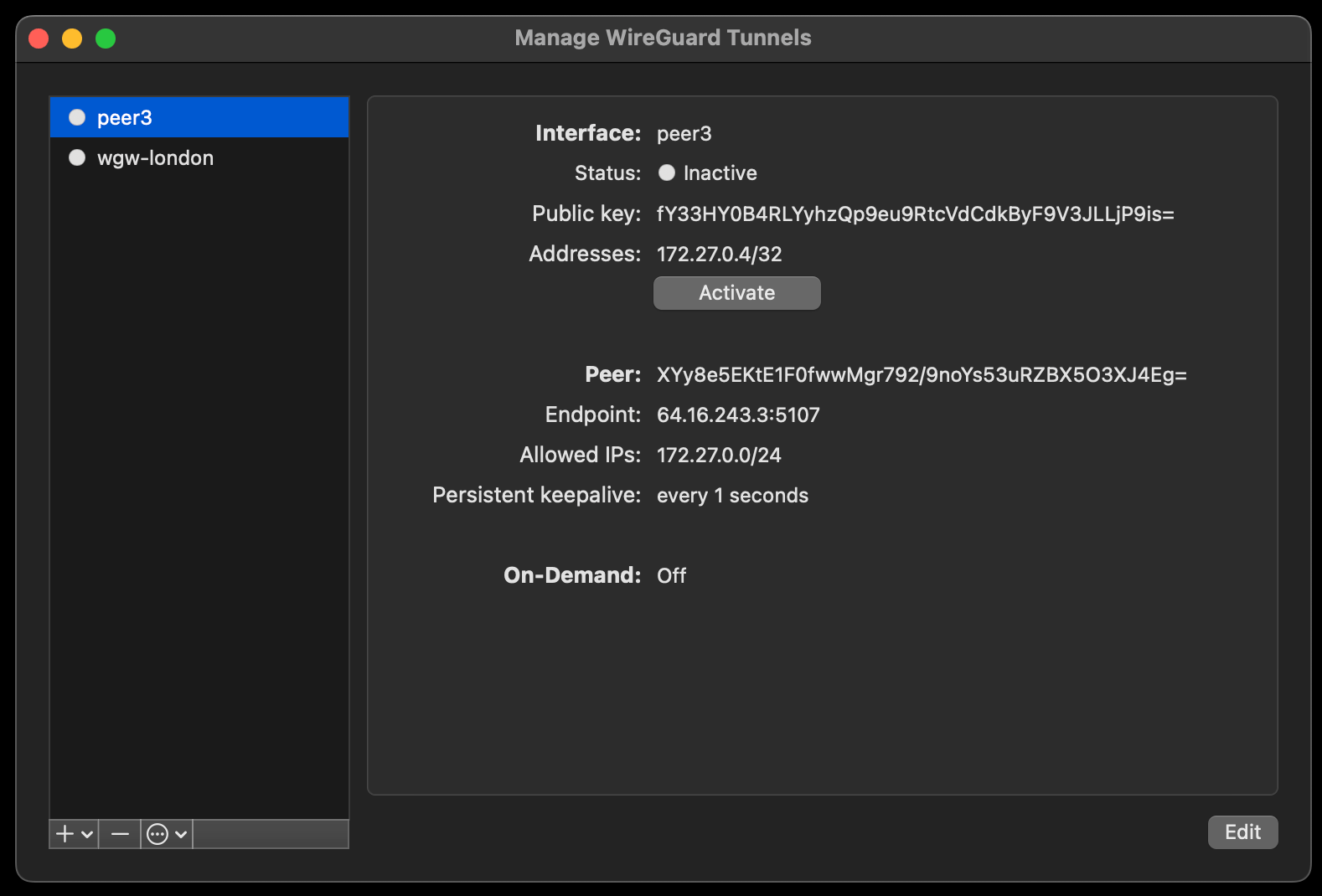
 "Activate"
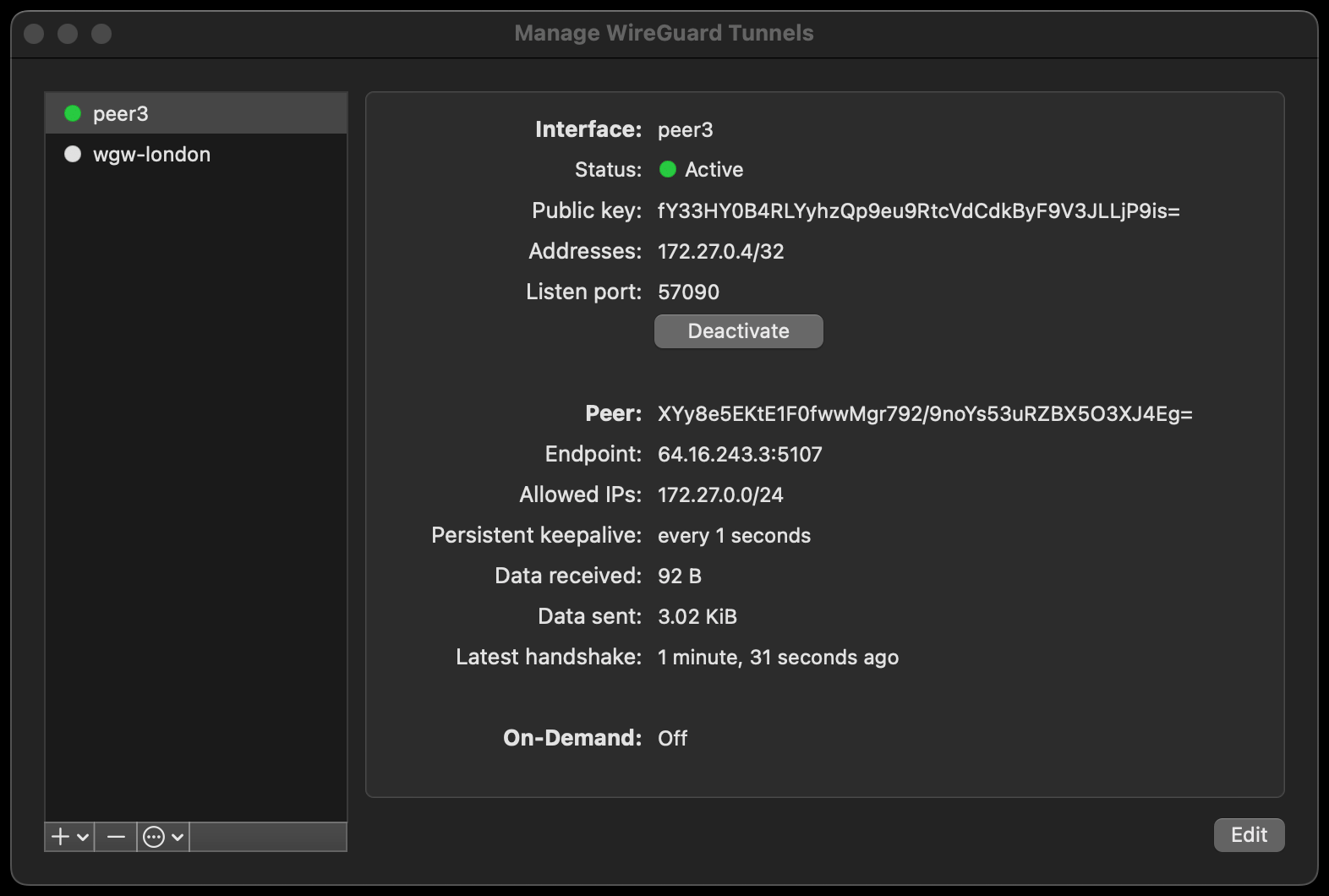
 At this point, it should show "Status: Active"
 ## Step 3: Validating and Testing
A connected peer should be pingable.
```
user@macbook-pro wireguard % ping 172.27.0.3
PING 172.27.0.3 (172.27.0.3): 56 data bytes
64 bytes from 172.27.0.3: icmp_seq=0 ttl=63 time=35.006 ms
64 bytes from 172.27.0.3: icmp_seq=1 ttl=63 time=32.528 ms
64 bytes from 172.27.0.3: icmp_seq=2 ttl=63 time=33.376 ms
^C
--- 172.27.0.3 ping statistics ---
3 packets transmitted, 3 packets received, 0.0% packet loss
round-trip min/avg/max/stddev = 32.528/33.637/35.006/1.028 ms
```
## Next Steps
[WireGuard Gateway (WGW) Guide](https://developers.telnyx.com/docs/network/gateways/wireguard-gateway) outlines many use cases that may be valuable to you.
## Step 3: Validating and Testing
A connected peer should be pingable.
```
user@macbook-pro wireguard % ping 172.27.0.3
PING 172.27.0.3 (172.27.0.3): 56 data bytes
64 bytes from 172.27.0.3: icmp_seq=0 ttl=63 time=35.006 ms
64 bytes from 172.27.0.3: icmp_seq=1 ttl=63 time=32.528 ms
64 bytes from 172.27.0.3: icmp_seq=2 ttl=63 time=33.376 ms
^C
--- 172.27.0.3 ping statistics ---
3 packets transmitted, 3 packets received, 0.0% packet loss
round-trip min/avg/max/stddev = 32.528/33.637/35.006/1.028 ms
```
## Next Steps
[WireGuard Gateway (WGW) Guide](https://developers.telnyx.com/docs/network/gateways/wireguard-gateway) outlines many use cases that may be valuable to you.